False Hopes for Automation Through CRM (HubSpot, Salesforce) in Dentistry

Introduction
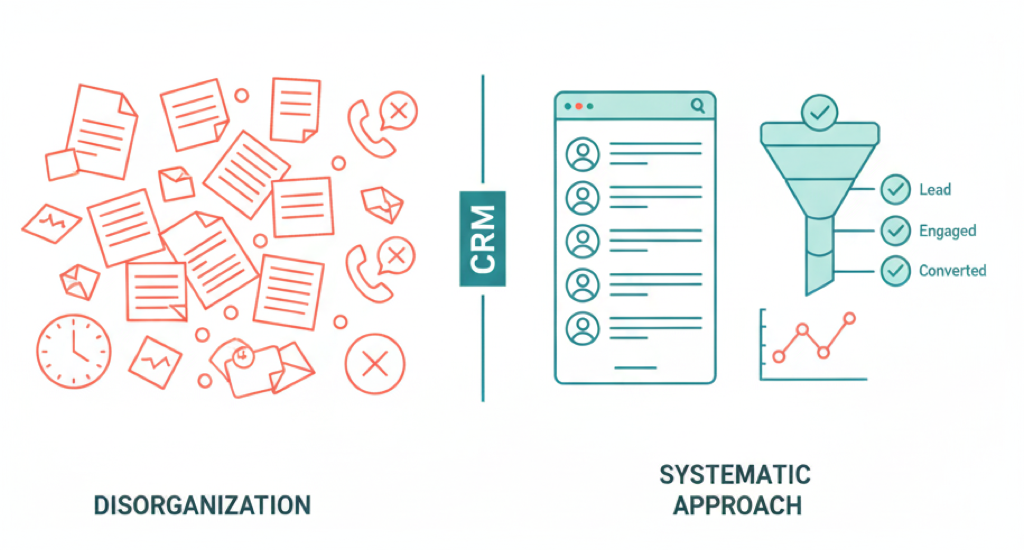
Today, many dental practices in the United States are implementing CRM systems (such as HubSpot or Salesforce) hoping they will automatically solve problems with lead processing, patient callbacks, and schedule filling. A practice owner might assume: “Just install a CRM – and new patients will book themselves, reminders and calls will happen without our involvement.” However, in practice, this is a dangerous illusion. As experience shows, a CRM is merely a tool, and its effectiveness depends on how competently people configure and use this tool. Without proper processes and discipline, even the best CRM won’t deliver the expected magical results.
In this study, we’ll examine: how small practice owners should properly approach CRM implementation, why corporate standards from large chains like ClearChoice or Aspen Dental are difficult to apply in small practices, and how to overcome these challenges while increasing patient engagement effectiveness. We’ll provide a practical implementation guide, a list of best practices and common mistakes, and compare the capabilities of popular CRM systems (HubSpot, Salesforce, etc.) as they apply to dental practices.
Why CRM Won’t Solve Problems Automatically
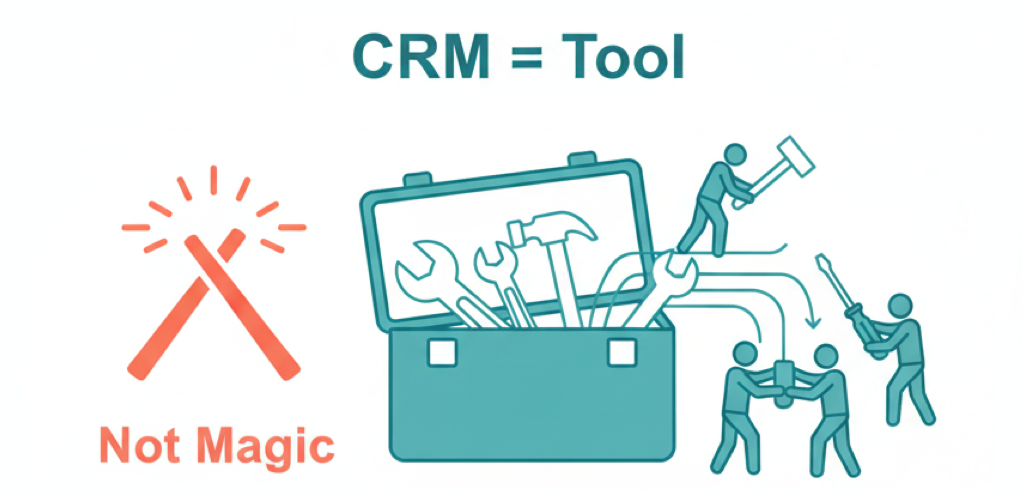
First and foremost, it’s important to understand: a CRM system by itself won’t fix weaknesses in your management. Without people’s involvement and established processes, a CRM can even become a useless waste of money. Here are the key reasons not to rely on “autopilot”:
CRM is Not a “Magic Pill” for Leads
Research shows that a significant proportion of CRM implementation projects fail to deliver expected ROI, and the main reason isn’t bad software, but that employees don’t use the system properly. Simply put, if practice staff doesn’t maintain disciplined work in the CRM (don’t enter contact data, don’t set tasks, don’t follow reminders), no automation will help – leads will still be lost. Small businesses universally face the problem of low actual CRM utilization: although the system may be formally implemented, the human factor prevents extracting real value.
Without Customization, CRM is Useless
Basic “out of the box” CRM settings are designed for average business processes. If you simply turn on the system and try to work with defaults, you’ll quickly discover that half the fields and functions don’t suit you, and your usual steps are awkward to fit into the template funnel. As one industry resource notes, using CRM without customization is like wearing someone else’s shoes: you can walk, but it’s uncomfortable. Each dental practice is unique, so the CRM needs to be configured for its real needs (patient journey stages, lead sources, rejection reasons, etc.). Otherwise, the system becomes a chaotic “toolbox” where it’s hard to find anything.
Time and Training Are Required
Another mistake is thinking the team will immediately start working effectively in the new program. Staff training is essential. Remember the metaphor: buying a sports car is pointless if you only know how to drive a basic sedan. Similarly, when implementing CRM, you can’t “skip training day.” Without training, employees will either use the system poorly, make mistakes, or ignore it altogether. Yes, training requires time (and time in a clinic is a valuable resource), but without it, your expensive CRM can become an expensive dust collector.
Cost and Complexity – Obstacles for Small Practices
Many owners are attracted by the image of large systems like Salesforce – if business giants use it, then I need it too. However, they don’t account for costs and complexity: advanced CRMs are expensive (licenses, implementation, support) and often require qualified specialists for configuration. As a result, for a small clinic, this can be an excessive burden. As marketing consultant Mark Oborn notes, for small practices, CRM price and complexity of functionality can become serious problems; the team will need additional training, and if implementation goes wrong, the system will only complicate work, drowning you in disorganized data. Simply put, incorrectly implemented CRM creates a sense of chaos, where useful information drowns in a mass of unnecessary details, instead of bringing benefits.
Conclusion: CRM can be a powerful assistant, but it doesn’t solve business problems “at the snap of a finger.” You can’t just buy a HubSpot or Salesforce subscription and expect sales/appointments to grow on their own. Success requires adapting the system to your processes, team engagement, and changing your approach to working with leads. Next, we’ll examine how to do this correctly, especially using a dental practice as an example.
Corporate Standards vs. Small Practices
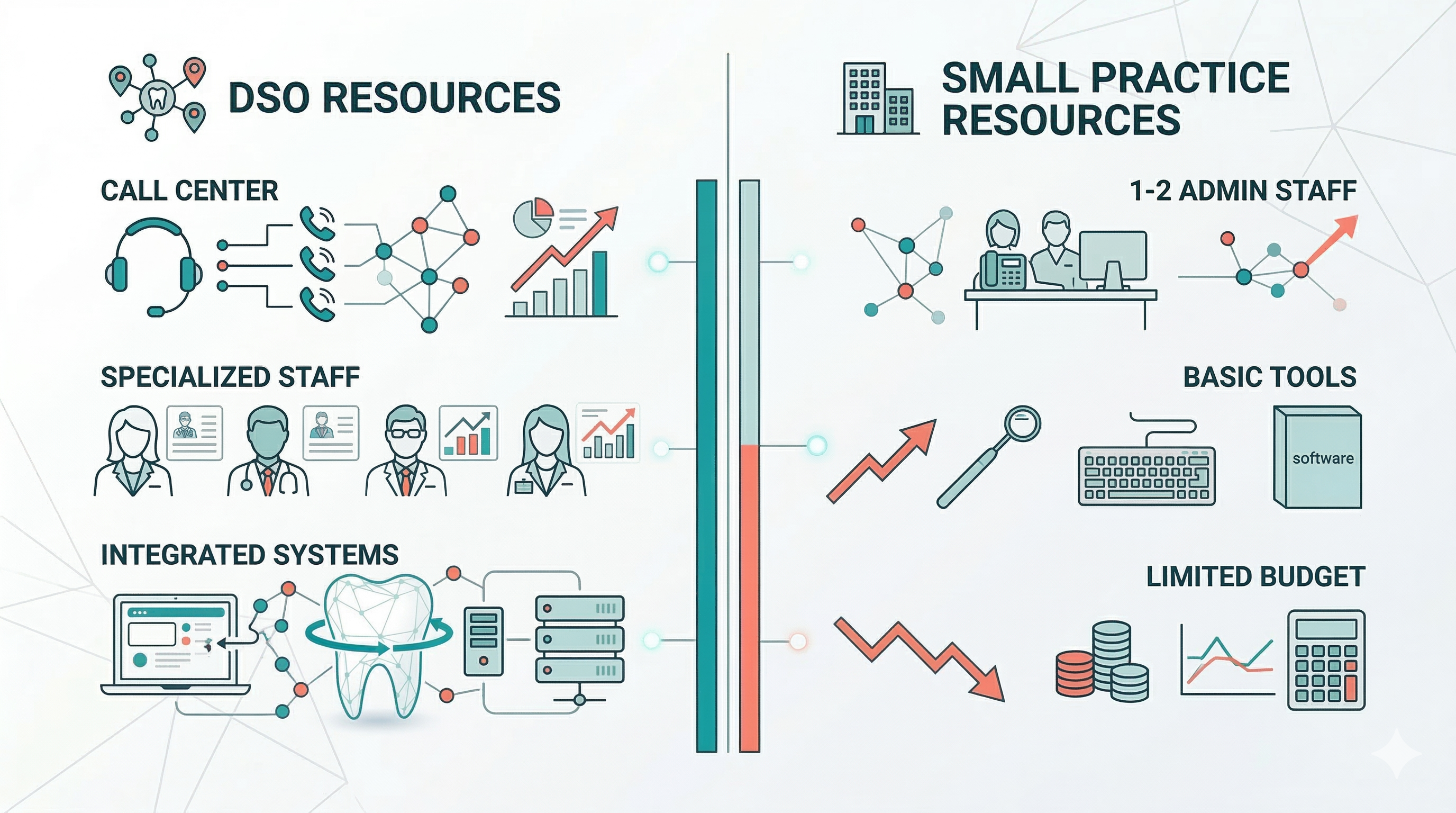
Large dental service organizations (DSOs) like Aspen Dental or ClearChoice are famous for streamlined business processes and high lead-to-appointment conversion rates. It’s logical to want to adopt their corporate standards for patient engagement. However, directly copying such experience in a small practice encounters difficulties. Let’s examine what makes corporations effective and why small clinics find it hard to replicate:
Scale and Resources
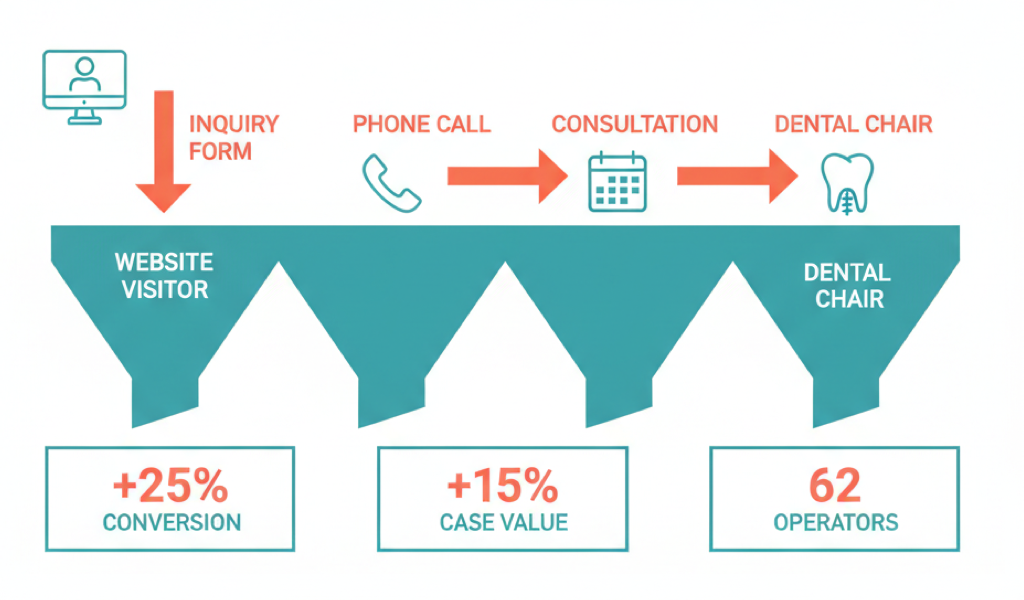
Corporations operate at different volumes. For example, ClearChoice (a dental implant center chain) has a centralized call center in Denver with approximately 62 operators who exclusively handle incoming calls and appointment confirmations. They even have an external outsourced call center as backup for overflow or after-hours calls. It’s clear that a private clinic with one or two administrators can’t replicate this – they have neither the staff of dozens of employees nor the budget for a 24/7 call center. Small businesses physically cannot maintain a separate team to immediately call every lead and have long conversations with them.
Role Specialization and Protocols
In corporations, processes are standardized and divided by roles. In the same ClearChoice call center, operators are trained to handle objections and questions about implantation, they have scripts and no strict time limits on conversations – agents are allowed to talk as long as needed to fully answer potential patients’ questions. Their goal isn’t to quickly “close the call,” but to maximally prepare the person for the visit and instill confidence. In a small clinic, often the same employee must answer phones, receive patients at reception, and verify insurance. They don’t have time for long conversations – hence a more formal and brief communication style. Standardizing scripts and adhering to them is also more difficult: small teams often work without clear protocols, each administrator does things their own way.
Technology and Integrations
Corporate chains usually have powerful IT systems, often custom-built. Aspen Dental, for example, invests in unified platforms for all branches (schedule management, electronic medical records, CRM, analytics). ClearChoice in the mentioned call center integrated NICE inContact cloud telephony with Salesforce CRM, so operators could see all contact data and effectively plan subsequent interactions. Such integrations give complete control over the patient journey: from first call to visit and follow-ups, everything is recorded. Small clinics most often have a much more fragmented set: separate program for scheduling (or even a paper journal), separate one for finances/insurance, plus email, plus phone without CRM integration. Implementing a unified system is expensive and complex, and lack of integration means that even after buying a CRM, you may get an “island” of data not connected to other processes (for example, the administrator will have to manually duplicate patient entry from CRM to calendar). This slows down work and risks errors.
Culture and Control
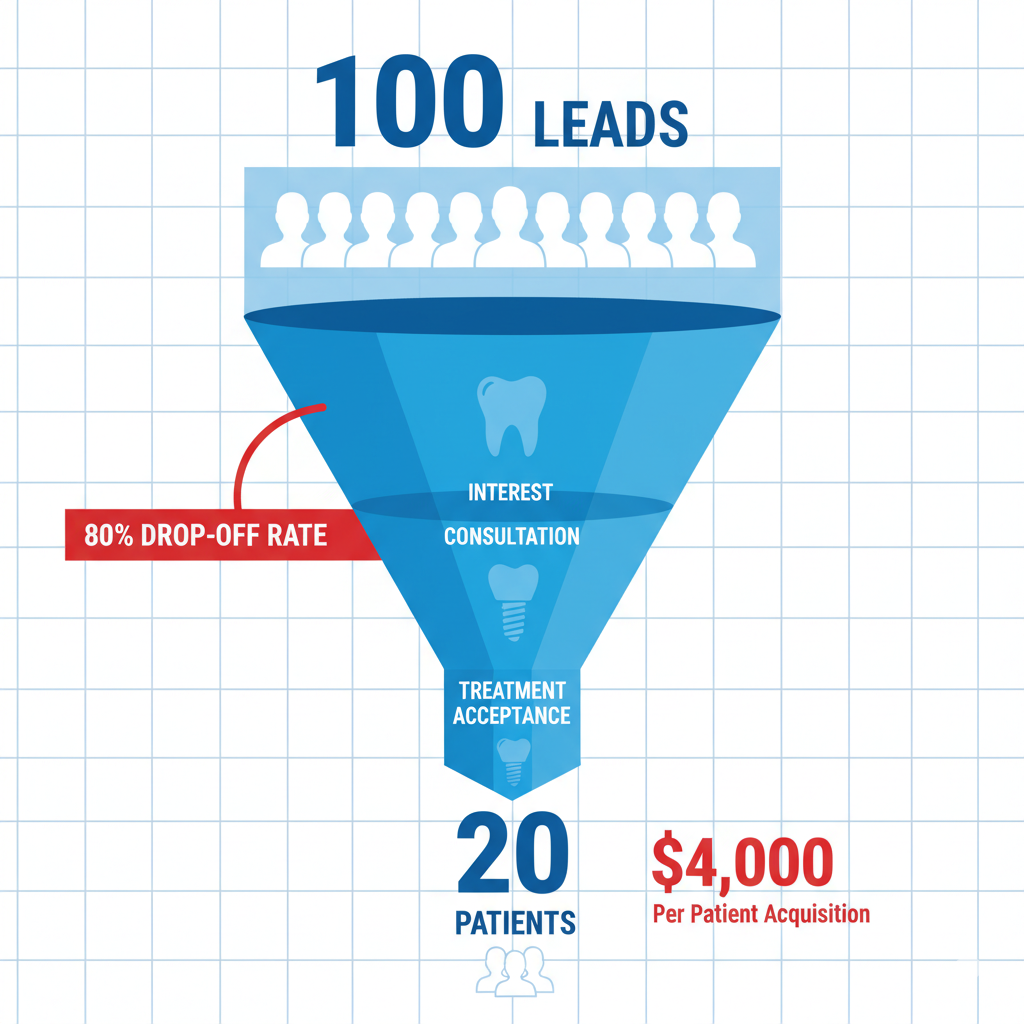
In the corporate model, an entire structure is responsible for standard adherence: regional managers, trainers, mystery shoppers, etc. There are clear KPIs: what percentage of calls should convert to appointments, how many minutes to call back a new lead, how many patients shouldn’t miss a checkup every 6 months, etc. Continuous work is based on these metrics – from staff mentoring to script changes. In a small clinic, especially if the owner is a dentist themselves, control over administrative tasks is usually weaker. Often there’s no culture of viewing marketing leads as valuable – main attention is on current patients. As a result, there’s no accountability for lead follow-up. Many practices don’t have it “built into the culture” to persistently call new potential patients. Statistics show: on average across the industry, leads in dentistry are processed very sluggishly – many offices contact an incoming online request only once (or not at all). This is despite marketing research showing it requires 4-5 contact attempts to successfully reach and interest a potential patient who submitted a request. Best practices – those same corporate or simply advanced private clinics – bring up to 85% of such leads to appointment booking through persistent multi-stage work. And many small offices underestimate these requests (think a web form request isn’t serious, “if they really need it, they’ll call back themselves”) and miss dozens of potential patients. In a real example described by consultant Bill Mulcahy, a dentist discovered a stack of printed online requests from an administrator’s email – 80 potential new patients who were never scheduled because they only received one email and were never called! Small businesses often have neither control systems nor awareness of the scale of such missed opportunities.
Why are DSO standards difficult to apply directly? Because they rely on resources (people, money, technology) and organization that small practices don’t have. However, this doesn’t mean small clinics can’t succeed. The best ideas need to be adapted to your scale. For example, obviously you won’t hire 60 operators – but you can train 1-2 employees to work competently with leads. You won’t immediately implement a super-CRM, but you can use 100% of an accessible tool’s basic functions. Next, we’ll offer a specific plan for improving lead and patient engagement effectiveness in a small clinic, based on “big player” practices, but without excessive costs.
How to Increase Effectiveness: Practical Guide for Small Clinics
Let’s move from problems to solutions. Below is a step-by-step plan for CRM implementation and establishing lead engagement processes in a dental clinic. This plan is designed for small teams and accounts for small business realities:
Step 1: Define Your Lead Management Process
Before configuring software, document business rules: who and how will handle incoming potential patient inquiries. Describe the cycle: for example, “Website or phone inquiry -> first contact no later than X hours -> how many times we try to reach -> what we consider a rejection -> what auto-reminders or emails we send -> when a lead is deemed lost or, conversely, becomes a scheduled patient.” Such protocol shouldn’t remain theoretical – assign specific responsibilities. Even if you do all the administrative work yourself, write out this algorithm for yourself. Include several contact attempts through different channels. There’s no point starting a CRM only to then abandon a lead after one unanswered call.
For illustration: marketing firm Dental Revenue recommends the “12-48-5-10-30” rule for online leads:
- First contact within 12 hours
- Second after 48 hours
- Third on day 5
- Fourth 10 days after the second
- Then inclusion in monthly mailing/call list
Your schedule may differ, but the principle itself is important: multi-stage follow-up. Also decide what exactly happens at each stage: first email template, what to say when calling and whether to offer immediate scheduling, etc. When the process is clearly defined, it’s easier to implement it in CRM. For a ready-made version of this schedule — with timing, message templates, and automation triggers — see our patient follow-up automation guide.
Step 2: Choose the Right CRM System
The CRM market is huge – from free simple applications to monsters like Salesforce. For a small dental clinic, it’s important to select a system matching your resources and requirements. Here are key selection points:
Ease of Implementation and Use: You don’t have time or in-house IT specialists for lengthy setup – so the system must be intuitive. HubSpot CRM is often praised in this regard: it has an understandable interface that even non-IT staff quickly learn, plus there are many training materials. HubSpot was originally created for small and medium businesses, so much is already convenient “out of the box”: for example, you can easily connect a web form from your site, set up auto-replies, there are ready email templates, etc. Moreover, basic HubSpot CRM functionality is available for free (no contact limits up to 1 million, some features are limited) – and paid plans start from ~$15 per month per user, which is quite affordable. As needs grow, you can add marketing module, service module, etc. But even the free version is enough for many small clinics to start. Salesforce, conversely, is oriented toward the enterprise segment, and although it has small business solutions, the general reputation is: extremely powerful system, but complex. Its implementation usually requires a certified specialist or consultant. Salesforce’s specialized Health Cloud solution for healthcare offers enormous possibilities, but setting it up for a specific clinic often requires additional development and integrations, resulting in large timelines and budget. Simply put, Salesforce is a “Ferrari,” impressive and fast, but requiring an experienced driver and expensive maintenance; HubSpot is more like a “reliable SUV,” you can immediately drive it without long training, even if maximum speed is lower.
Industry Compliance: In healthcare context, data security (HIPAA) and accounting for patient care specifics are critically important. There are nuances here too: HubSpot relatively recently implemented HIPAA-compatible data storage functions (through special storage mode and permission settings), allowing secure storage and exchange of confidential patient information in CRM. Salesforce offers HIPAA compliance through Health Cloud, but as mentioned above, this more often requires expensive customization and third-party modules. On the other hand, there are also specialized CRMs for dental practices. For example, CareStack is an “all-in-one” platform combining CRM and practice management system functions (electronic chart, scheduling, billing, etc.). It’s specifically tailored for dentistry and suitable for both individual practices and chains. Or LeadSquared system – not strictly dental, but often used in medical marketing; it’s strong in lead management for multi-location clinics, provides detailed funnel analytics and advanced patient acquisition automation tools.
Integrations with What You Already Have: Consider your current IT landscape. If you maintain scheduling in specialized dental software (Dentrix, EagleSoft, Cloud9, etc.), check if your chosen CRM can integrate with it or at least export/import data. Many CRMs (like HubSpot) support integrations through API or ready connectors, allowing automatic transfer of new website requests, telephony calls to CRM, and from CRM back to scheduling system information about scheduled visits. Full seamless integration is ideal, but even partial automation is better than nothing.
Step 3: Configure CRM for Your Clinic
Once the system is chosen, don’t rush to work in it immediately “as is.” First thing – customization for your processes. Create necessary fields in CRM for dentistry-specific data: for example, “service of interest,” “referral source” (Google, recommendation, insurance company, etc.), “treatment plan offered (yes/no),” “plan cost” – everything important for you to track. Configure pipeline stages to reflect the real patient journey:
- New Lead
- Contacted
- Scheduled for Consultation
- Consultation Completed
- Scheduled for Treatment / Treatment Plan Accepted
- Treatment Completed
For those who didn’t convert, there may be exit statuses: No Answer/Unreachable, Declined, Scheduled with Another Doctor, etc.
Plan communication templates: CRMs usually allow preparing email and SMS texts. Create several: appointment confirmation, day-before reminder, post-visit thank you with review request, etc.
Special attention to access rights and data security. Ensure proper user roles are configured in CRM. Enable encryption functions and audit log if available, especially if storing medical data – these are HIPAA requirements and simply good security practice.
Finally, integrate CRM with communication channels. Minimum – connect corporate email so patient emails are logged automatically. If possible, integrate telephony: many CRMs allow recording incoming calls and linking to client card.
Step 4: Train the Team and Assign Responsibilities
Now that the system is ready, invest in staff implementation. The clinic owner or manager should understand the CRM themselves and lead by example. Conduct staff training: show the interface, practice typical scenarios (new lead came in – what do we do in CRM? patient called to reschedule – how to note it?). Pay attention not only to button-clicking technique, but also lead management work culture: explain why you’ll now call everyone who left a request, how this affects practice growth, how CRM will help them in daily work.
Employees often resist new systems (“we were fine before”), fearing extra burden. Your task is to show personal benefit: for example, that CRM will relieve them of some routine (no need to manually keep lists – the system will remind whom to call), reduce conflicts (won’t forget about patient because signal will trigger), etc.
Also assign process responsibilities. Distribute roles even in small clinics: who reviews new leads daily, who makes calls, who controls quality and outcome. If all burden falls on one front desk employee – then clearly specify this in their tasks: CRM lead processing is as much a duty as greeting a patient. Without personal responsibility there’s risk everyone will think someone else is handling it. Result: nobody handles it.
Finally, encourage CRM use at least morally: note at meetings how CRM helped schedule new patients, thank for carefully filled data. You can introduce element of competition: small prize to whoever best and fastest processed their leads this month.
Step 5: Automate Routine, But Don’t Lose Personal Touch
Modern CRMs offer excellent automation possibilities: use them wisely. What’s worth automating:
Reminders and Mailings: Set up automatic SMS/emails with appointment confirmation and visit reminders – this will reduce no-shows and increase patient engagement. You can also automatically send “Welcome” email to new contacts or series of educational emails to warm up interest. Important: ensure messages look personal – addressing by name, relevant content. Automation shouldn’t resemble spam.
Task Distribution: Automatically create tasks in CRM like “call new lead,” “clarify treatment plan decision 1 week after consultation” and assign to responsible party. This ensures nobody forgets to make the necessary call at the right time.
Response Templates: Instead of writing identical emails from scratch each time, prepare templates in CRM. When needed, manager will slightly edit them for the situation, but main parts will be ready. This saves time and ensures unified communication standard.
However, don’t completely rely on auto-mode, especially in healthcare where people value attention. Don’t try to replace live communication with robots at critical moments. If you have patient interested in expensive treatment (implantation for large sum) – an email with price list won’t convince them to come, here you need a personal call or consultation. The “people vs. machines” balance is the golden rule. Automation should relieve employees from routine, but not completely remove their role in building patient relationships.
Step 6: Track Metrics and Improve Process
CRM implementation isn’t a one-time event, but a continuous improvement process. Determine which metrics are important to you and regularly measure them using CRM:
- Lead-to-initial-appointment conversion (%)
- New lead response time (hours/minutes)
- Show-up coefficient (how many scheduled showed up for visit)
- Average patient acquisition cost
- Patient satisfaction
Good CRM allows visually building reports and identifying bottlenecks. For example, you might see that of 100 leads, 50 dropped off at the stage after consultation (didn’t return for treatment) – then this signals to work on treatment plan presentation stage or follow-up calls.
Set specific goals and compare: “Before CRM our lead booking was 20%, six months after use – 35%.” Monthly or quarterly data audits with team discussions about improvements maintain momentum. CRM is flexible: you can add a new stage, change script, or strengthen auto-reminders if seeing many misses. Remember, successful CRM use is continuous movement, not static state.
Step 7: Maintain Data Quality and Comply with Standards
When process is running, it’s important to keep the system clean and reliable. Introduce rule: “Every contact – with record.” After each interaction (call, email, visit) responsible person must update information in CRM: call result, new agreement, patient complaint, etc. If this isn’t done, over time the base accumulates “garbage”: unclear what happened with whom. Regularly delete duplicates. Check that key fields are filled.
Don’t forget legal aspects either. Communication automation is also responsibility: comply with advertising and privacy laws. In the US, HIPAA law requires medical organizations to protect patient personal data. Ensure your CRM is configured according to standards: encryption, strong passwords, auto-lock when inactive, access differentiation. Same for email mailings: use only addresses patients provided themselves, give unsubscribe option, to avoid violating CAN-SPAM Act.
Following such a plan, even a small dental clinic can build its mini-version of patient engagement “machine,” similar to what large corporations use. Yes, you’ll have not 60 operators, but 1 administrator, not super-computer system for millions, but accessible cloud service – but principles remain the same: quick response, multiple touches, personal approach, data accounting and constant improvement.
Best Practices for Lead and Patient Engagement (CRM-Based)
Let’s summarize some best practices – proven techniques that have shown effectiveness in dental business:
Quick Response to New Inquiries: Try to contact each new lead as soon as possible. Ideally – within the first hour, maximum – first business day. Speed seriously increases conversion chance: person is still “hot,” interested in service now. If you drag 2-3 days, high probability patient already contacted another clinic. Research confirms: clinics where first response occurs within 12-24 hours are significantly more successful in patient scheduling. Quick call or request response will make good impression on potential patient: “If they called back so soon, they care, value my time.” This is important small business advantage – you can act flexibly and quickly. Use this: make speed your trump card.
Multiple Contact Attempts (Persistence): Don’t give up if you couldn’t connect from first attempt or they didn’t immediately agree. Golden rule: make 4-5 touches before admitting lead is hopeless. Many people are naturally busy or indecisive – your persistent (but polite!) approach can push them to action. Try mixed channels: call → voicemail → call different times → SMS with reply options → educational email. CRM will help plan repeat steps: immediately set tasks “call again in 2 days.” Best clinics achieve 80%+ interested lead-to-appointment bookings through multi-stage follow-up system.
Communication Personalization and Trust: Think of each contact as a specific person, potential patient. Each time connecting with new patient, maximally personalize communication: address by name, mention where you learned about them. Identify need – ask a couple questions about their problem. Let people feel you’re sincerely interested in helping, not just filling schedule. CRM stores all contact history – use this data to personalize further steps (e.g., in comments you see patient mentioned pain fear – on next call ask if they’d like to discuss sedation options).
Appointment Scheduling – Main Goal for Each Lead: Actively offer and facilitate scheduling. Each time talking with potential patient, try to move them from lead status to specific scheduled visit status. Never say “we’ll call you back later for scheduling” – person might change mind. Better to immediately confirm agreement. Technology can help: send online scheduling link during conversation. Corporate standards require each conversation to end with either appointment or clear next step.
Monitor Schedule and Reminders: Working with lead doesn’t end when they agreed to come. Send appointment confirmation right after conversation. Standard practice: reminders day before visits. Regular reminders reduce no-shows by approximately 30%.
Build Long-Term Relationships: CRM goal extends beyond new sales to patient retention. Attracting new patient is more expensive than retaining existing one. Establish CRM processes for current patients: regular preventive checkup invitations, congratulations, promotions for regular clients. Segment base: highlight patients who haven’t visited in 6+ months – send personal offer. Set automatic triggers: patient had complex treatment – 2 days later email: “How are you feeling? Don’t forget to follow recommendations.” Such service creates loyalty. CRM will help not keep everything in head: it’ll remind whose checkup is due, who has birthday, who was interested in whitening before.
Summarizing: best practices come down to being prompt, persistent, attentive and systematic in patient work. CRM takes on organizational moments (reminds, records, distributes), but business soul – patient care – you and your team provide.
Common Mistakes in CRM Implementation and Lead Processing
Expecting “Miracles” Without Effort: Main mistake is thinking CRM itself will solve problems. Some owners think it’s enough to pay for system – and then everything will happen automatically. This isn’t so. CRM isn’t a wizard, but a tool. If you simply install it and change nothing in work, result won’t change. Moreover, incorrectly configured CRM can create illusion of vigorous activity without actual patient increase. Perceive CRM as part of strategy, not panacea.
No Lead Accountability (Lack of Focus): In small clinic this problem constantly occurs: no clear distribution of who handles marketing leads. Result: nobody seriously handles them. Administrator may prioritize people in front of them and current patient calls, and postpone internet requests. Mistake is thinking “everyone’s responsible for this.” When everyone’s responsible – nobody is. Appoint specific responsible party. Example with 80 uncalled requests in administrator’s desk – precisely from lack of proper control.
One Touch and Stop: Many clinics limit themselves to one call/email. This drastically reduces final conversion. Mistake is deeming lead “bad” too early. If they didn’t answer first time, don’t close deal in CRM immediately. Establish internal rule: minimum 3-5 contacts before giving up. Otherwise you’ll lose mass of potential patients due to simple laziness or forgetfulness.
Data Mess (No CRM Order): Without discipline, confusion accumulates: contact duplicates, deals without assigned responsibilities, statuses not updated, fields filled incorrectly. This leads to not trusting CRM data. Chaos begins, and employees stop using system. Prevent this through data entry responsibility. Periodically audit base: delete excess, merge duplicates. Clean information quality determines decision quality.
Working “By Template,” Not Adapting CRM to Practice: Mistake is not configuring CRM for yourself, trying to fit your process into default framework. Result is incorrect data, and system doesn’t reflect reality. Don’t be lazy to configure CRM for your terminology and logic. Customization isn’t luxury, but necessity.
Lack of Staff Training and Support: Implementing CRM without training practically guarantees failure. Management mistake is thinking “they’ll figure it out over time.” Another mistake is not explaining why. If team doesn’t understand CRM value, they may sabotage its use. Make training recurring: month after start conduct “error work,” answer questions, update instructions. Have simple documentation for new workers.
Excessive Automation and Soullessness: Excess automation is also mistake. Bombarding leads with template emails daily, using calling robots that irritate people, sending identical messages repeatedly – this can harm reputation. Patients feel artificiality. Private clinic’s advantage is precisely individual approach. Better less automation, but better quality.
Not Using Data and Lacking Feedback: CRM accumulates valuable information – foolish not to analyze it. Mistake is continuing to make decisions “by intuition,” ignoring CRM reports. Regularly look at basic reports: where leads come from, how quickly your team reacts, no-show percentage, revenue from converted leads. CRM is management tool, not just accounting. If CRM gives alarming signals, don’t ignore them.
Comparison of Popular CRM Systems for Dental Clinics
HubSpot CRM
Distinguished by ease of use and marketing capabilities. HubSpot provides unified toolset: CRM + built-in email marketing, lead management, site forms, chatbots, social media – all in one platform. For small clinic this means you don’t need to buy separate mailing services or landing pages. Interface is intuitive even for non-technical users, making implementation easy and quick.
Important plus – free CRM version including basic functions (contacts, deals, tasks, email integration, simple analytics). This is enough to start and understand value. As you grow, you can purchase extensions. Pricing is flexible: affordable plans for small business (~$15-50/month), plus professional packages.
In healthcare context, HubSpot made steps forward: ability appeared to work in HIPAA-compliant mode, allowing secure storage of patient medical data. Also supports two-way integrations with many popular applications (calendars, chats, dental systems via API).
Limitation: HubSpot may be less flexible in deep customization than Salesforce – if you have very non-standard process beyond HubSpot capabilities, you’ll have to find workarounds. But vast majority of clinics have enough HubSpot functionality. HubSpot CRM in 2025 is often mentioned in best CRM lists for dentists precisely for “functionality + moderate price” combination.
Salesforce (Sales Cloud / Health Cloud)
This CRM is about power and flexibility, but requiring resources. Salesforce has been CRM market leader for many years, especially in medium and large business segment. Its main advantage is phenomenal customizability. In Salesforce you can implement practically any logic: add your objects (e.g., “Treatment Plan” as object linked to patient), configure complex business processes with multiple branches, integrate with internal systems at database level. Separate Health Cloud module designed for medicine includes templates for patient management and possible EHR integrations.
However, all this wealth comes with high complexity. To configure Salesforce for small dentistry often requires hiring expensive administrator or consulting services. License cost is usually higher with no generous free version. Health Cloud is even more expensive. For small practice Salesforce is often excessive and expensive.
For extensive clinic chains or companies planning aggressive growth, Salesforce can be justified: scales excellently, capabilities for large teams, complex analytics, multi-component processes. Example: ClearChoice chose Salesforce + NICE inContact bundle because they needed deep telephony-CRM integration, accounting for tens of thousands of calls.
Salesforce = functionality without compromise, but at cost of complexity. HubSpot = 80% needed functions with comfort and lower costs.
Other CRMs and Systems
Specialized “Dental CRMs”: CareStack – entire practice management platform with CRM module, tailored for dentistry: scheduling integration, charts, insurance calculations. Essentially replaces several programs at once. Scales from solo practice to chain. DenGro – created specifically for dental clinics: focuses on leads, reminders and daily front desk tasks, reminds team about daily actions per each lead, guaranteeing timely follow-ups.
Universal CRMs for Small Business: Zoho CRM – popular affordable system, quite functional and flexible. Pipedrive – very simple visual CRM where everything built around sales funnel, suits small practices wanting to visually manage patient work without unnecessary complexity (prices around $14/month per user).
Consolidated Recommendation: For most private US dental clinics, optimal choice will be cloud-type CRM emphasizing simplicity – HubSpot leads as balanced option. Salesforce/Health Cloud makes sense for large structures or rapid chain expansion. Specialized dental platforms suit when you’re ready to change entire IT infrastructure or launching from scratch. Ultimately, success depends not so much on CRM brand as on its competent use. Better to take system your team can fully master and love than most expensive and powerful but standing idle.
Conclusion
Marketing and patient management automation is powerful trend in dentistry. CRM systems truly can transform clinic work: increase inquiry conversion, reduce potential patient losses, establish regular patient returns and overall increase revenue through more effective communication. However, technology itself doesn’t guarantee success. False belief that it’s enough to buy HubSpot or Salesforce subscription and wait for miracle can lead to disappointment.
Large chain company experience (Aspen, ClearChoice, etc.) shows that results come not so much from programs themselves as from strict processes and standards supported by these programs. Yes, corporations have more resources – but even small clinics, adapting their best practices, can achieve excellent results. Key thing – owners and managers need to actively participate in implementation: configure CRM for themselves, instill lead work culture in team, control indicators and not let things slide.
We discussed step-by-step plan for smart CRM implementation: from process planning to staff training and constant optimization. Following it, clinic will get not just another program, but real growth tool. Use CRM to not miss a single chance to help new patient – and you’ll see how marketing investments start bringing greater response.
Small clinics often have hard time competing with large chains, but they have advantages – flexibility, more personal attitude. Properly configured CRM allows multiplying these strengths: you react faster, remember more about each patient than without system, build long-term relationships. And weak spots (lack of hands, forgetfulness in hustle) – conversely, are minimized by automation.
In conclusion: effectiveness is determined not by software name, but by how you use it. With right approach, even small business will get tangible return from CRM: more bookings without increasing advertising, more loyal patients without colossal costs – because you organized work with them better than yesterday. Let CRM become for you not another fashionable gadget, but indispensable assistant in daily practice – then no “false hopes” are scary, because there will be real, measurable results.
About This Research: Our recommendations and conclusions are based on industry expert experience and data. Throughout the text we referenced various sources, including: CRM project failure statistics, guides for avoiding common CRM implementation mistakes, analytical materials about CRM implementation specifics in dentistry, practice examples (e.g., case with 80 missed patients due to lack of follow-up). We examined ClearChoice case with their call center, as well as review articles about independent clinic competition with DSOs. In the comparative CRM review section, we relied on specialized reviews and comparisons.
Need help managing dental leads more effectively? Try DentalPrice AI — the AI-powered platform that helps dental practices convert more patients without complex CRM setup.